
Homeowner guide
How to adjust a sprinkler controller schedule for the season
Review watering days, program start times, zone run times and rain controls using your controller manual, without guessing universal watering minutes.
Published November 26, 2026
By the HomeFAQ Editorial Team · Reviewed for accuracy.
https://homefaq.com/irrigation-lawn-care/how-to-adjust-a-sprinkler-controller-schedule/
Printing is unavailable. Use your browser’s Print command.
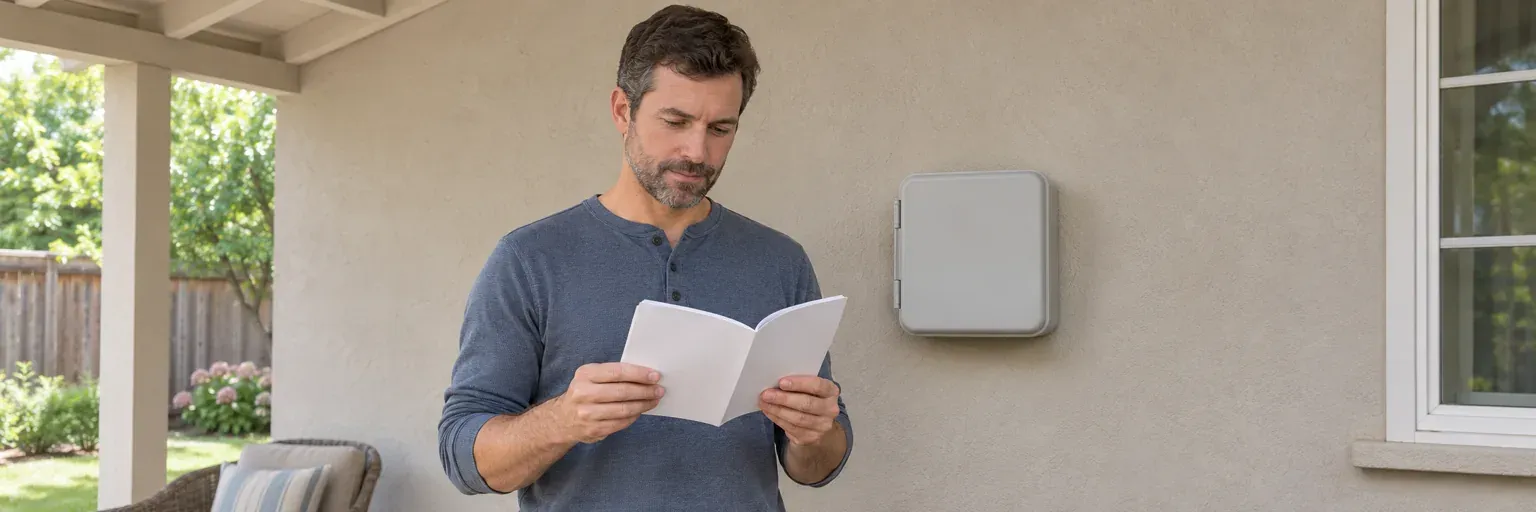
If your sprinkler system works normally but its schedule no longer fits the season, first check your water provider’s current watering rules and locate the manual for your exact controller. Record the existing settings before changing ordinary user controls. Review watering days, program start times and each zone’s run time separately; adding a start time may repeat the whole program, not start another zone.
This is a schedule-review checklist, not a recommended watering schedule. There is no single number of minutes that fits every yard. EPA WaterSense recommends seasonal adjustments and consulting your local water utility or Cooperative Extension service about watering needs. If you see runoff, leaks, sensor faults or electrical errors, stop instead of adding watering time. An irrigation professional should investigate the underlying problem.
Understand the settings before changing them
A controller is the timer or control system that tells irrigation valves when to operate. A zone is an area watered together; a controller may call its valve output a station. A program, often identified by a letter, groups watering days, start times and station run times.
These definitions and the sequential example below follow Toro’s TMC-212 user guide, pages 14–17. They illustrate one documented controller design, not every brand or app. Your model’s manual controls which settings exist and how they interact.
- Watering days: the days a program is allowed to run. A weekday schedule, interval schedule and odd/even-date schedule are different choices; none automatically proves compliance with local restrictions.
- Program start time: when a complete watering sequence begins. On the TMC-212, one start time runs the assigned stations in order. A start-time slot number is not a zone number.
- Station run time: how long a particular station operates within that program. Check whether the same station is also assigned to another program.
- Seasonal adjustment: a percentage change to programmed durations. On the TMC-212 this applies to all stations in the selected program; 100% means no adjustment. Other models may apply it differently. It does not substitute for checking permitted watering days.
- Rain delay: a temporary pause in scheduled watering. On the TMC-212 it counts down and then resumes the existing schedule. It is different from a rain sensor, which signals the controller to interrupt automatic watering when rain is detected.
A weather- or soil-moisture-based controller can adjust watering using environmental information, as EPA explains. Do not layer a manual percentage change onto an unfamiliar automatic mode without its manual or installer guidance.
Review the schedule in order
1. Confirm the local limits first.
Check your water supplier’s current rules for your address, including allowed days, hours and any seasonal or drought restrictions. Consult the utility if the instructions are unclear. This national guide cannot establish your local permissions or plant-water needs.
2. Locate the exact manual and safe user controls.
Match the model name and any app version. Use only ordinary accessible scheduling controls in dry, safe conditions. Do not open a controller cabinet or wiring compartment, remove covers, touch backflow equipment, change pump settings or bypass a protective device. If accessing the settings requires that work, stop and arrange qualified help.
3. Create a before-change record.
Copy the displayed date, time and AM/PM setting, every active program, watering days, every start-time slot, station durations, seasonal percentage and rain-delay status. Include the zone labels plus a note about recent weather. Do not factory-reset the controller to simplify the job; Toro warns that clearing program memory permanently erases user settings.
4. Check days and start times before durations.
Follow your manual’s schedule-review procedure. Look through all programs, not just program A. Identify what each start time is intended to do. Do not delete deliberate cycle-and-soak starts—separate short applications with breaks for absorption—without understanding the site’s plan. EPA describes that approach for some slopes and slow-absorbing soils.
5. Review zone durations against site-specific guidance.
Use your utility, Extension service or irrigation professional’s advice for the actual plants, soil, sprinkler type and season. Do not make a dry-looking patch the reason to increase every zone’s time; first record the uneven pattern for inspection. Make only changes you understand and keep a dated before-and-after note.
6. Check seasonal and rain controls separately.
Read whether the percentage applies to one program or the whole controller, and whether automatic weather adjustments are already active. Confirm what a rain delay pauses and when it expires. Leave rain sensors enabled; do not override one to force a test or work around an unexplained fault.
7. Confirm the final operating state.
Return to the manual’s normal operating mode if watering should remain enabled under current rules. Read back the saved settings. If a normal observation cycle is permitted and safe, watch from stable, dry ground; do not add a manual cycle outside allowed hours. Stop for pooling or runoff, as EPA advises, and arrange an inspection for leaks, unexpected repeats or sensor errors.
Why another start time can repeat every zone
Hypothetical arithmetic only—not a watering recommendation: suppose a TMC-212-style program has two assigned stations, each with a five-minute run time. With seasonal adjustment at 100% and no other delays, a 6:00 a.m. program start runs station 1 and then station 2: ten minutes in total.
Adding a 6:30 a.m. start time to that same program runs both stations again. It does not mean “start station 2 at 6:30.” The two starts now represent twenty minutes of combined station operation. These times and durations are invented solely to explain the controls; they do not establish suitable or legal watering for any property.
Toro also documents that overlapping starts can be queued until an earlier cycle finishes. Its seasonal adjustment above 100% can split increased durations into two consecutive cycles. Unexpected repeats therefore require a full settings review, not a guess based on one screen. Check your own manual before changing anything.
When a schedule change is the wrong fix
Do not use longer run times to work around a broken head, suspected leak, standing water or watering that continues unexpectedly. Keep clear of wet or damaged electrical equipment. Record the affected zone, display message, time and visible symptoms for an irrigation professional; electrical or backflow work may require a separately qualified professional. Toro’s fault guidance states that clearing an overload warning does not correct its cause.
A seasonal adjustment is not freeze protection or winterization. If the task is a cold-weather shutdown, use the sprinkler winterization guide instead of improvising a timer setting.
Bring a useful record to the next step
Keep the original and revised settings with the manual. If anything remains unexplained, bring that record, the model name, local watering notice and dated observations to an irrigation professional before changing more controls. Use the sprinkler maintenance checklist for the broader visual walk-through, not wiring or plumbing repairs.
Sources
- EPA WaterSense: Watering Tips — seasonal review, utility/Extension advice, runoff, cycle-and-soak and environmental controller inputs; reviewed November 26, 2026.
- Toro: TMC-212 User’s Guide, form 373-0402 Rev. A — pages 14–17 (zones, programs and start times), 33–34 (rain delay and seasonal adjustment), 36–37 (memory clearing and circuit faults). Model-specific examples only; reviewed November 26, 2026.
Questions to ask your irrigation professional
- Which programs, start times and seasonal settings are making my zones repeat, and can you show me the complete sequence?
- What local watering guidance and observations of my plants, soil and sprinkler output support the revised settings?
- Will you document the final schedule and verify the rain controls, and which sensor, leak or electrical findings need separate repair?
Keep planning
Related irrigation lawn care guides
How to winterize a sprinkler system safely
Use a simple seasonal checklist to prepare an irrigation system for freezing weather, while leaving backflow devices, compressed-air blowouts, and unfamiliar plumbing to qualified professionals.
Sprinkler system maintenance checklist for homeowners
Use a seasonal, low-risk sprinkler inspection checklist to spot leaks, overspray, runoff, damaged heads, and scheduling problems—then know when an irrigation, plumbing, or backflow professional should take over.
How much should sprinkler installation cost?
Compare sprinkler-installation proposals by scope when a national price range would hide important site, water, and local requirements.